
Animation example
Heart valve and blood flow 3D animation
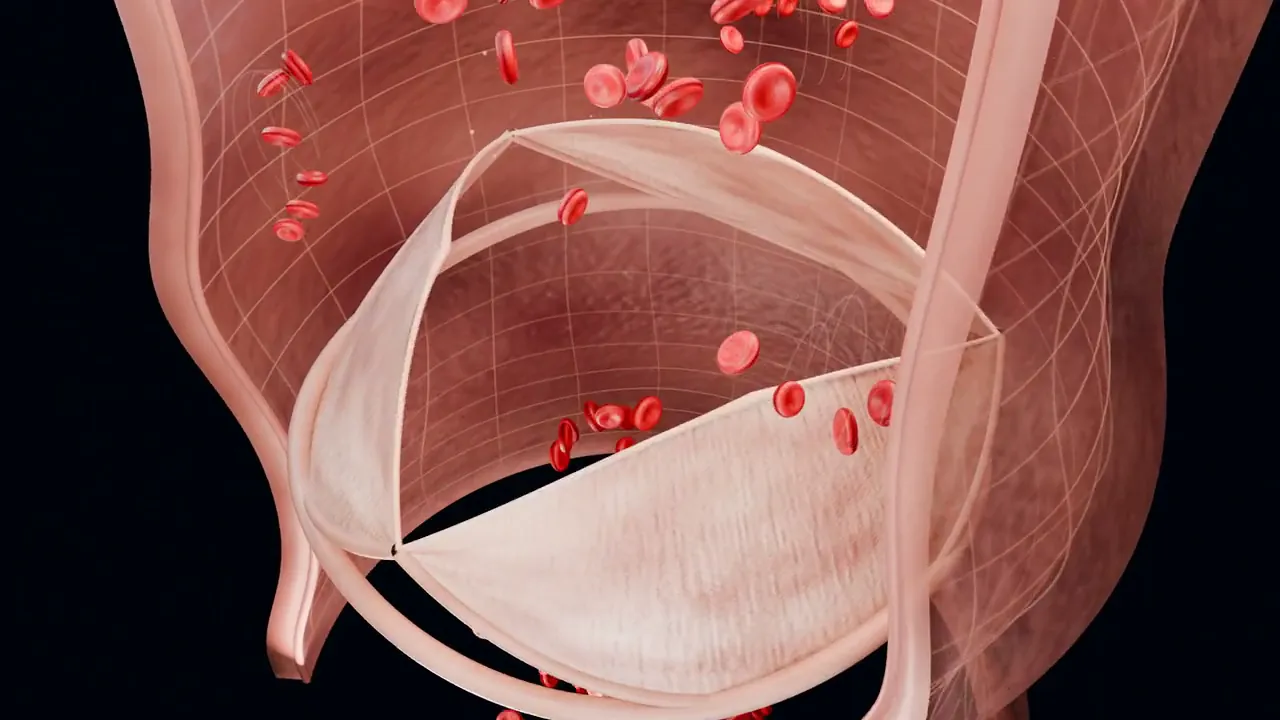
Ride with red blood cells through an opening aortic valve, then turn back to watch its leaflets close before the next pulse. An 18-second film you can open in Animiotics as a sample scene.
What the animation shows
The aortic valve sits between the left ventricle and the aorta. When the ventricle contracts, the pressure inside it rises above the pressure in the aorta and the valve's three leaflets, or cusps, are pushed open, letting blood flow out to the body.
When the ventricle relaxes, the pressure in the aorta is higher and blood starts to flow back. That backflow fills the cusps and snaps them shut, which keeps blood moving in one direction. The closing of the aortic and pulmonary valves is part of the second heart sound.
What is illustrative
This is an illustrative aortic-valve cutaway with two pulses. Cell size and timing are exaggerated so the motion can be followed, and the flow is animated rather than a measured simulation.
Make your own version
Open this film as a starter and customize it, or describe a new animation. A few variations to try:
- Show aortic stenosis: stiff, calcified cusps that open only partly and a narrow, fast jet of blood.
- Show aortic regurgitation, with blood leaking back into the ventricle as the valve fails to close.
- Show a transcatheter aortic valve being placed inside the old valve.
Questions
How many leaflets does the aortic valve have?
Usually three. A bicuspid aortic valve, with two, is one of the most common congenital heart differences.
Can I show a diseased valve?
Yes. Describe the condition, such as stenosis or regurgitation, and the AI builds a new version of the scene. Review medical details with your clinical team.
Keep reading
Describe it. Watch it move.
Start your first animation from a description, a structure or a photo.